
Security and your data
Five independent mechanisms keep one school out of another school’s data.
Any vendor will tell you their software separates one school from another. The useful question is how many separate things have to hold for that to stay true, and here the answer is five, each working on its own.
In EduBold, the mistake is caught by the database, which does not know or care what the application intended.
Five layers
Five mechanisms, any one of which would stop a leak on its own.
Not one mechanism trusted five times.
- Every record carries its school and its branch
Not as convention. As a field on every table.
- Every screen applies that filter without being asked
It is applied before the request reaches the database. Nobody has to remember to add it, because nobody is given the chance to forget.
- The database enforces the same rule itself
The database checks it for itself, and does not care what the software asked for.
- Cross-school access requires a written exception
There are legitimate cases. A login has to find a user before it knows which school they belong to. Each case carries a stated reason in the code and can be reviewed.
- The database is reachable only from the application servers
Not from the internet.
The number
The number that matters is zero, and it is a count rather than a claim.
No school on EduBold can read another school’s data. If the application ever asked for it, the database would refuse to answer.
We will run the count in front of you, on the live system, in the call.
- Schools that can read another school’s data
- 0
Counted on the live production system on 18 August 2026.
For your IT person: 2,603 row-level security policies across 423 tables, every business area covered.
Access control
Who can see what, and why.
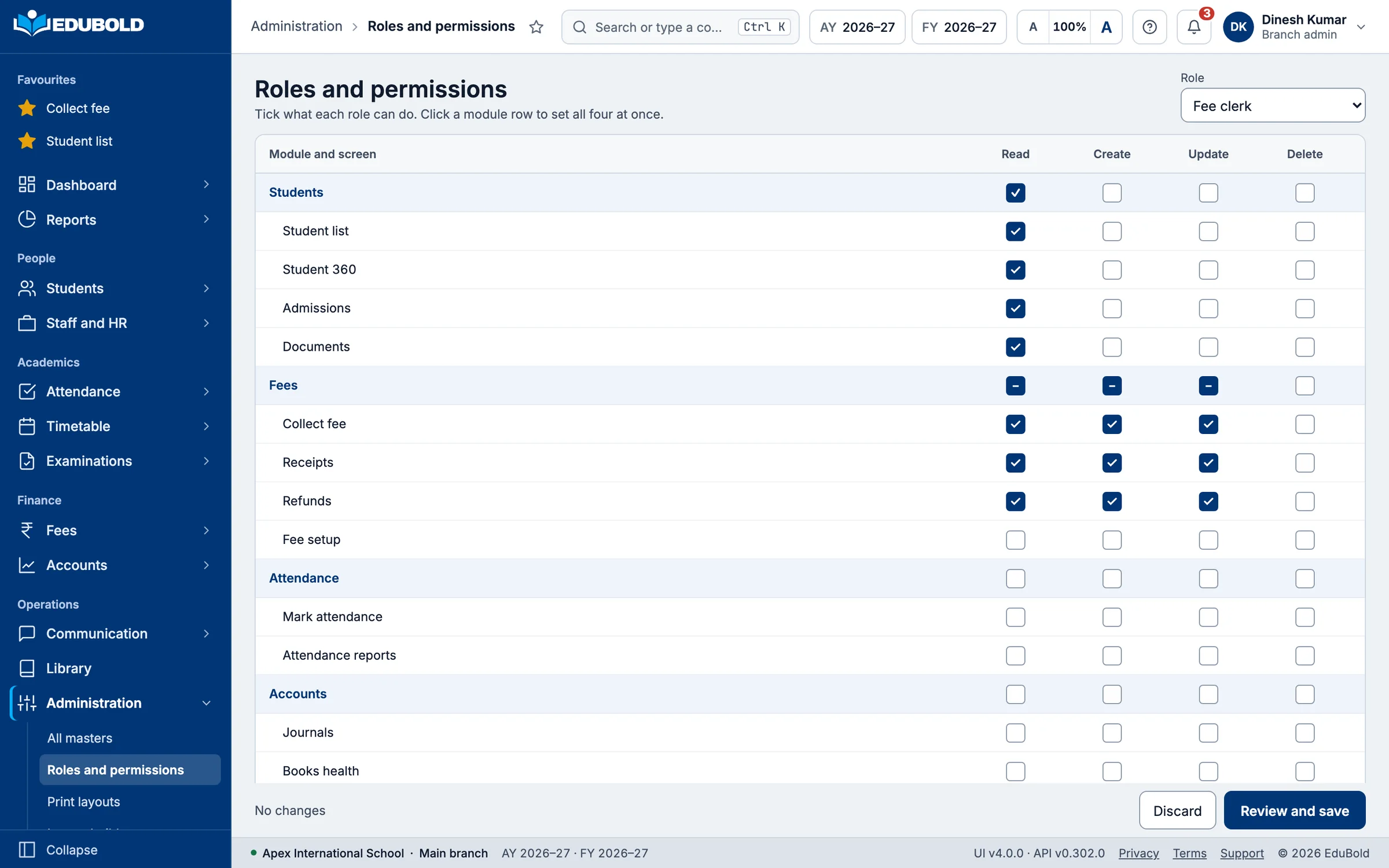
- Two ways of granting access, used together. Administrators are given a role, such as principal or accountant, which carries a set of permissions. Teachers and office staff are given permissions one at a time, so you can allow somebody to record a payment without also allowing them to change a fee.
- Groups carry roles, so access is managed by group rather than person by person. Role assignments can be copied, transferred, synchronised or replaced wholesale.
- Explain a permission. The system will tell you why a given user can see a given thing. That is the question an IT committee actually asks.
- Modules can be enabled or disabled per school, so a branch that does not use the library does not have the library.
- IP whitelisting, with usage recorded, if you want administrative access restricted to the school premises.
- Session settings per organisation, resettable to system defaults.
- An audit log, exportable.
- A security coverage scan the system runs against its own endpoints.
Your data
Export is self-service. Deletion is real.
Adding a school provisions its organisation, creates its roles and permissions, loads its master data, and gets its own secure web address, set up automatically.
Your own administrator exports your data in standard formats whenever you want it. You do not raise a ticket and you do not wait for us. The question on the switching page, which is to ask your current vendor for a full export and see what happens, is one we expect to be asked of us too.
An organisation and everything in it can be permanently deleted on request. Not flagged inactive. Deleted.
How to check it
Every figure on this page can be checked on the call.
Architecture, verified in the source code and counted in the live database.
Bring your IT person or your auditor to the demonstration. We will open the source and the database, and show you one school kept out of another school's data. You watch it, in the call, instead of reading a summary of it.
Evidence you can look at yourself, in the first half hour.

Next
Bring your IT person to the demo.
The separation between schools, the permission model and the audit log are the parts of this product built to survive that conversation.